

Google Shopping Ads Canada: The Ultimate E-commerce Guide
Unlock e-commerce growth with our guide to optimizing Google Shopping Ads in Canada. Master product feeds, bidding, and strategy for maximum ROI and sales.
Published
Why Read This?
This guide is essential for Canadian e-commerce businesses looking to move beyond stagnant sales and dominate Google Shopping Ads. Discover actionable, Canada-specific strategies to leverage visual-first product placements, tap into Google's vast market share, and transform your online presence into a finely-tuned engine for profitable growth.
A Toronto-based Shopify merchant spends thousands on digital ads, but their sales have plateaued. They see their competitors' products featured prominently with images and prices at the very top of Google Search, seemingly grabbing customers before they even click a link. This isn't luck; it's a deliberate and powerful strategy. These visual, data-rich placements are Google Shopping Ads, and for many Canadian e-commerce businesses, they represent the single most significant lever for growth. In a market where online retail sales have surged by over 75% in recent years, simply having a digital presence is no longer enough. Mastering the very channels where your customers make their purchasing decisions is the new imperative.
Welcome to your comprehensive guide for not just participating in, but dominating, the Google Shopping landscape in Canada. This isn't about simply turning on a campaign; it's about building a finely-tuned engine for profitable growth. We'll move beyond the basics to provide actionable, Canada-specific strategies that address the unique challenges and opportunities of this market, from provincial taxes and bilingual requirements to navigating an increasingly competitive digital shelf.
The Strategic Imperative of Google Shopping for Canadian Retailers
The Canadian e-commerce ecosystem is no longer in its infancy. It's a mature, competitive arena where visibility is paramount. Google Shopping Ads, also known as Product Listing Ads (PLAs), have fundamentally changed how Canadian consumers discover and purchase products online. Unlike traditional text ads that rely on compelling copy, Shopping ads lead with the product itself: its image, title, price, and your store name. This visual-first approach shortcuts the customer journey, moving them from high-intent search directly to a near-purchase decision.
For a Canadian business, this channel is non-negotiable. Google holds over 90% of the search engine market share in Canada, making its results pages the country's de facto digital mall. Appearing in the Shopping carousel or the dedicated Shopping tab isn't just advertising; it's occupying prime retail real estate. The strategic context is clear: as competition intensifies and ad costs rise, businesses that can optimize their Shopping campaigns for efficiency and relevance will not only survive but will actively capture market share from less sophisticated competitors. The transition to automated campaign types like Performance Max further underscores this point. Google's AI-driven systems reward businesses that provide high-quality data and clear strategic direction, making a robust feed and campaign structure more critical than ever.
Foundation First: Mastering Google Merchant Center for Canadian Sellers
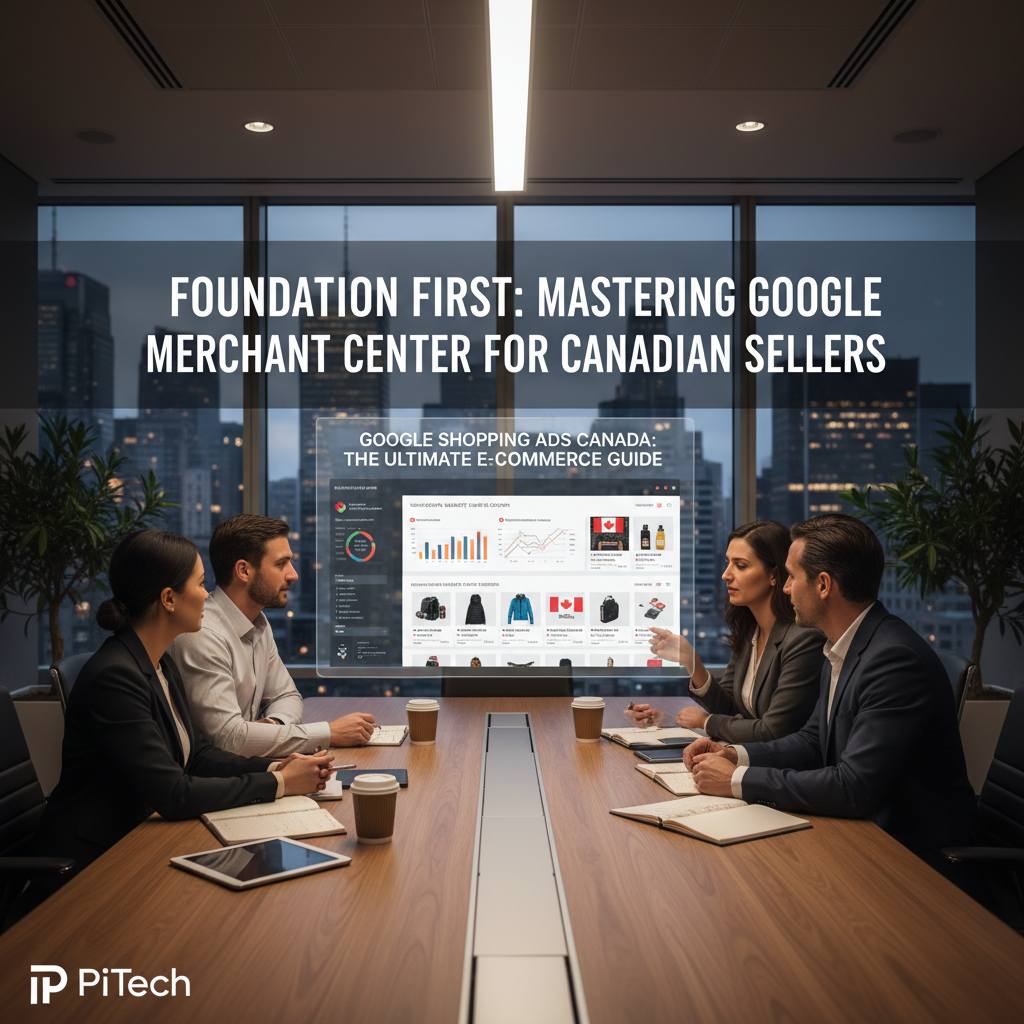
Before a single ad can run, your entire operation must be grounded in a perfectly configured Google Merchant Center (GMC) account. Think of GMC as your business's digital headquarters on Google. It's where you upload your product data, manage your inventory information, and configure the essential settings that allow you to advertise in Canada. Getting this wrong can lead to product disapprovals, wasted ad spend, or even account suspension.
The Critical First Step: Account Setup and Verification
Setting up your Google Merchant Center account is the entry ticket. The process involves providing basic business information, but the most crucial steps are verifying and claiming your website. Verification proves to Google that you are the authorized owner of your e-commerce store's URL. This is a non-negotiable security measure that prevents others from advertising with your domain. Claiming the website links it specifically to your GMC account, creating an official connection that allows your product data to be used in ads. For most Canadian e-commerce businesses using platforms like Shopify or WooCommerce, plugins and native integrations can streamline this process significantly, but it's vital to confirm that the verification has been successfully completed in your GMC settings.
Navigating Canadian Shipping and Tax Configuration
This is where generic, international advice falls short. Correctly configuring shipping and taxes for the Canadian market is one of the biggest hurdles for new advertisers. Google requires you to provide accurate, and often complete, shipping costs for all regions you target. Failure to do so will result in disapprovals due to "mismatched values" between your feed and your checkout page.
For Canada, this means accounting for variable rates across provinces and territories. You must configure shipping rates that match or overestimate what a customer will pay. Many businesses opt for creating tiered flat rates (e.g., by order value or weight) or connecting directly to carrier-calculated rates from Canada Post, Purolator, or FedEx. Similarly, tax settings must be configured at the provincial level. You need to specify the correct GST/HST/PST/QST for each province you sell into. Setting this up within GMC ensures that the price displayed in the ad is accurate and compliant, building trust with potential buyers from the first impression.
Avoiding Suspension: Common Policy Pitfalls for Canadian Retailers
A GMC account suspension is a catastrophic event for an e-commerce business, halting all Shopping ads instantly. Most suspensions are not malicious but result from neglecting Google's strict policies. The most common pitfall is "Misrepresentation," a broad category that includes inconsistencies between your product data and your website.
Ensure your website has easily accessible contact information (address, phone number, email), a clear return and refund policy, and a secure checkout process. Prices, availability, and product details on your landing pages must perfectly match the data submitted in your product feed. Another common issue is advertising prohibited products or making unsubstantiated claims, particularly in health and wellness categories. Regularly review Google's Shopping ad policies and perform periodic audits of your own site to ensure you remain in full compliance.
The Engine of Success: How to Optimize Your Product Feed for the Canadian Market

Your product feed is not just a spreadsheet; it's the very DNA of your Google Shopping campaign. The quality, richness, and strategic organization of your feed data directly determine your ad's relevance, visibility, and ultimately, its performance. A poorly optimized feed will lead to irrelevant impressions and low click-through rates, while a meticulously crafted feed can give you a decisive competitive edge.
Writing Product Titles That Convert Canadian Shoppers
The product title is the single most important attribute in your feed. It's the primary field Google's algorithm uses to match your product to a user's search query. A generic title like "Men's T-Shirt" is a recipe for wasted ad spend. A high-performance title follows a structured formula and includes the keywords your target customer is actually searching for.
A proven structure for apparel, for example, is: Brand + Product Type + Key Attributes (Gender, Colour, Material, Size). This would turn "Men's T-Shirt" into "Peak Performance Men's Crew Neck T-Shirt - Organic Cotton - Navy Blue." For electronics, it might be: Brand + Model + Key Spec + Product Type. For example, "Sony WH-1000XM5 Wireless Noise Cancelling Headphones - Black." Think like your customer. What specific terms would they use to find your product? Including these in the title dramatically increases your ad's relevance and Quality Score.
Leveraging High-Quality Images and Rich Media
Google Shopping is a visual marketplace. Your main product image is your first and best chance to capture a user's attention in a sea of competitors. It must be a high-resolution, clear shot of the product on a white background, free of watermarks, logos, or promotional text. This is a strict policy requirement.
Beyond the main image, utilize the `additional_image_link` attribute to showcase your product from different angles, in use (lifestyle shots), or with detailed close-ups. This provides a richer experience for users who click through to the listing on the Shopping tab. For certain categories, Google is also enabling video and 3D imagery within Shopping listings, offering an even more immersive way to present your products. Investing in high-quality photography is not an expense; it's a direct investment in your campaign's click-through and conversion rates.
Using Custom Labels for Strategic Campaign Segmentation
Custom labels are a superpower for campaign management. These are five optional columns in your product feed (`custom_label_0` through `custom_label_4`) that you can populate with any value you choose. This allows you to slice and dice your product inventory in ways that Google's standard categories don't allow.
The strategic applications are endless. You can create labels for:
* Price Tiers: "Under $50", "$50-$100", "Over $100"
* Profit Margin: "High Margin", "Low Margin"
* Seasonal Items: "Summer", "Winter", "Holiday"
* Best Sellers: "Bestseller", "Clearance", "New Arrival"
By using these labels, you can then create specific product groups within your Google Ads campaigns. This enables you to set different bids and budgets for your most profitable products, aggressively promote seasonal items, or isolate low-performing products for troubleshooting. Without custom labels, you are forced to manage a monolithic inventory, severely limiting your ability to optimize for profitability.
The French Language Imperative: Targeting Quebec and Francophone Canada
Serving the Canadian market means acknowledging its bilingual reality. If you plan to sell to customers in Quebec or other significant French-speaking populations, a French-language strategy is not optional; it is essential. Simply showing English ads to French-speaking users results in poor engagement and a subpar user experience.
Google Merchant Center's `feed` label feature is designed for this. You can submit a completely separate product feed with all attributes, including titles and descriptions, professionally translated into French. You would then target this feed to French-speaking users in your campaign settings. This ensures that a user searching in French on `google.ca` sees a fully localized ad and is directed to a French-language product page. This level of localization demonstrates respect for the customer and dramatically improves performance in the lucrative Quebec market.
Smart Bidding and Budgeting for Google Shopping Ads in Canada
Once you have a solid foundation and an optimized feed, your focus shifts to campaign management within Google Ads. This is where you control how much you spend, who sees your ads, and what your performance goals are. Modern Google Ads is powered by machine learning, and understanding how to work with its automated systems is key to scaling your e-commerce growth in Canada.
Choosing Your Campaign Type: Standard Shopping vs. Performance Max
For years, Standard Shopping campaigns were the default, offering granular control over bidding and targeting through product groups and negative keywords. They still have a place for businesses that require tight control or are testing specific product segments. You can manually set CPC bids or use automated strategies like Target ROAS (Return on Ad Spend) while maintaining a high degree of transparency.
However, Google is heavily pushing Performance Max (PMax) as the successor. PMax is a holistic, goal-based campaign type that automates targeting and ad delivery across Google's entire inventory, including Search, Display, YouTube, Discover, Gmail, and Maps. You provide the product feed, budget, conversion goals, and creative "asset groups" (text, images, videos), and Google's AI handles the rest. For Canadian e-commerce, PMax can be incredibly powerful for finding new customer segments, but it can also feel like a "black box" with less direct control. A common strategy is to run PMax alongside a Standard Shopping campaign with a focus on brand terms, or to use PMax for prospecting and Standard Shopping for remarketing.
Understanding ROAS and CPA Bidding in the Canadian Context
Moving away from manual CPC bidding is a critical step toward efficiency. The two most important automated bidding strategies for e-commerce are Target ROAS and Target CPA (Cost Per Acquisition).
* Target ROAS (Return on Ad Spend): This is the gold standard for e-commerce. You tell Google the return you want for every dollar spent on ads. For example, a Target ROAS of 500% means you want to generate $5 in revenue for every $1 of ad spend. Google's algorithm will then adjust bids in real time to hit this target. Setting a realistic target based on your historical data and profit margins is crucial.
* Target CPA (Cost Per Acquisition): This strategy is focused on generating conversions at a specific cost. If you know that you can profitably acquire a customer for $40, you can set this as your target. This can be effective, but ROAS is often preferred for e-commerce as it accounts for varying product prices and order values.
The key is to feed the algorithm accurate conversion data, including revenue values. This allows the system to learn which products and users are most valuable to your business.
Structuring Campaigns for Control and Scalability
A single, catch-all campaign is a common mistake. A well-structured account provides control, clarity, and the ability to allocate budget strategically. Consider structuring your campaigns based on logical business divisions:
* By Brand: If you sell multiple brands, creating a campaign for each allows you to set different budgets and ROAS targets based on brand performance or partnership agreements.
* By Category: Similar to brands, separating campaigns by product category (e.g., "Tops," "Bottoms," "Outerwear") allows you to tailor strategies to each category's unique performance characteristics.
* By Profit Margin (Using Custom Labels): This is an advanced but highly effective structure. By creating separate campaigns for high-margin and low-margin products (identified by your custom labels), you can bid more aggressively on the products that contribute most to your bottom line.
This structured approach prevents your top-performing products from being starved of budget by lower-performing items and gives you clear levers to pull to improve overall account profitability.
Advanced Strategies to Outperform Your Canadian Competitors
With a solid structure in place, you can now layer on more advanced tactics. These strategies are what separate average performers from market leaders, allowing you to refine your targeting, eliminate waste, and create a truly integrated customer experience.
Implementing Negative Keyword Strategies to Reduce Wasted Spend
Even with a perfect product title, your ads can show for irrelevant search queries. For example, if you sell high-end "leather briefcases," you don't want to pay for clicks from people searching for "cheap vinyl briefcases" or "briefcase repair." Negative keywords prevent your ads from showing for these undesirable terms.
Regularly review the "Search Terms" report in Google Ads to see the actual queries that triggered your ads. Identify irrelevant terms that are costing you money and add them to a negative keyword list. This is an ongoing process of refinement that directly improves your ROAS by ensuring your budget is spent only on qualified, high-intent traffic.
Using Audience Signals and Remarketing Lists for Shopping
Your own data is your most valuable asset. You can create audiences in Google Ads based on user behavior and upload your own customer lists. These audiences can then be used as powerful "signals" for your campaigns.
* Remarketing Lists for Search Ads (RLSA) for Shopping: Target users who have previously visited your site, viewed a product, or abandoned a cart. You can bid more aggressively for these high-intent users, as they are already familiar with your brand.
* Customer Match: Upload a list of your existing customers (e.g., from your CRM or email platform). You can then either target them with special offers or, more powerfully, use them to create "Similar Audiences" to find new customers who share characteristics with your best existing ones.
* Audience Signals in Performance Max: In PMax campaigns, these audiences are not used for hard targeting but as "signals" to help the AI find the right users faster. Feeding it your best customer data gives the algorithm a massive head start.
Integrating Local Inventory Ads for an Omnichannel Advantage
For Canadian retailers with both an e-commerce store and physical brick-and-mortar locations, Local Inventory Ads (LIAs) are a game-changer. LIAs are a special type of Shopping ad that shows users your product is available for purchase at a nearby store. When a user clicks the ad, they are taken to a Google-hosted "storefront" that shows the product, store hours, directions, and inventory status.
This bridges the digital and physical worlds, catering to the "research online, purchase offline" (ROPO) behavior common among Canadian shoppers. It drives valuable foot traffic to your stores and provides a seamless omnichannel experience. Setting up LIAs requires an additional local product inventory feed, but for retailers with a physical presence, the return on investment can be substantial.
Practical Business Takeaways: Your 5-Step Action Plan
Feeling overwhelmed? Let's distill this down into a clear action plan. For any Canadian business owner or marketing manager, focusing on these five areas will drive 80% of your success with Google Shopping Ads.
- Build a Flawless GMC Foundation: Before anything else, audit your Google Merchant Center. Confirm your website is verified, and that your tax and shipping settings are configured accurately for all Canadian provinces you serve.
- Obsess Over Your Product Feed: Treat your product feed as your most valuable marketing asset. Prioritize writing keyword-rich, structured titles. Invest in high-quality, policy-compliant images. Implement custom labels to segment your products by profitability or strategic importance.
- Embrace Automated Bidding with a ROAS Goal: Move beyond manual bidding. Choose a Target ROAS that aligns with your business's profit margins and let Google's machine learning optimize for revenue. Ensure your conversion tracking is flawless to provide the algorithm with clean data.
- Structure Campaigns for Control: Don't use a single, massive campaign. Segment your campaigns by brand, category, or, ideally, by profitability using custom labels. This allows you to strategically allocate your budget to the areas that drive the most growth.
- Refine and Expand Continuously: Your work is never done. Regularly add negative keywords to eliminate wasted spend. Use audience lists for remarketing and to inform PMax. If you have physical stores, prioritize the implementation of Local Inventory Ads.
The PiTech Perspective: An Integrated Approach to E-commerce Growth
Optimizing Google Shopping Ads in Canada isn't a standalone marketing task; it's a complex interplay of data, technology, and strategy. Success requires more than just knowing the Google Ads interface. It demands a holistic view that connects your e-commerce platform, your inventory data, and your marketing execution into a single, cohesive system. This is where a partner like PiTech provides a decisive advantage.
Our expertise isn't confined to one silo. When we build an e-commerce website on Shopify or WooCommerce, we architect it from the ground up for seamless integration with Google Merchant Center, ensuring that product data flows cleanly and accurately. If you have a complex catalog or unique inventory needs, our custom software development team can create bespoke feed management solutions or API integrations that automate the most challenging data tasks, giving you a level of control off-the-shelf tools can't match.
Our paid advertising management services then take that pristine data and translate it into profitable campaigns. We don't just "set it and forget it." We apply the advanced structures, bidding strategies, and optimization techniques discussed in this guide. We understand that a successful Google Shopping strategy is amplified by a strong SEO foundation, ensuring your product pages convert the traffic you've paid to acquire. By integrating AI-enabled business systems, we can even help connect your ad performance data back to your core ERP and CRM, providing a 360-degree view of your customer and your business's health. This integrated execution is the key to sustainable, scalable e-commerce growth.
Conclusion: From Ad Spend to Strategic Investment
In the dynamic Canadian e-commerce market, Google Shopping Ads have evolved from a simple advertising channel into a fundamental pillar of business strategy. The ability to place your product directly in front of a high-intent customer at their moment of decision is an unparalleled opportunity. However, with this opportunity comes complexity. Success is no longer guaranteed by simply having a budget; it is earned through meticulous setup, data-driven feed optimization, intelligent campaign structure, and a relentless process of refinement.
By mastering your Google Merchant Center, crafting a world-class product feed, and leveraging smart bidding strategies tailored to the Canadian context, you transform your ad spend from an expense into a predictable and scalable investment in growth. You move from simply competing to actively shaping your corner of the market. For Canadian e-commerce businesses ready to take the next step, a properly optimized Google Shopping Ads Canada strategy is not just a path to more sales; it's the blueprint for building a resilient and profitable digital enterprise.
Ready to Transform Your Business?
Let PiTech help you implement these strategies with proven technology solutions.
Get StartedRelated articles
- Optimizing B2B E-commerce Catalogs for Canadian SuccessUnlock growth with our guide to optimizing B2B e-commerce product catalogs in Canada. Learn digital merchandising strategies to enhance UX and boost sales.
- Digital Marketing for Canadian SMBs: An Acquisition BlueprintStruggling with customer acquisition? Discover our definitive guide on digital marketing for Canadian SMBs. Learn to master SEO, paid ads, and more to boost sales.
- Optimizing E-commerce for Peak Holiday Sales in CanadaPrepare your Canadian e-commerce store for peak holiday sales. Our guide covers website performance, conversion optimization, logistics, and marketing to maximize revenue.
- Restaurant Digital Marketing Canada: Beyond Online OrderingDiscover how to optimize your Canadian restaurant's digital presence beyond basic ordering with advanced strategies for SEO, social media, paid ads, and more.